
Download Spotify Pie – Visualize Your Spotify Listening Habits
Overview
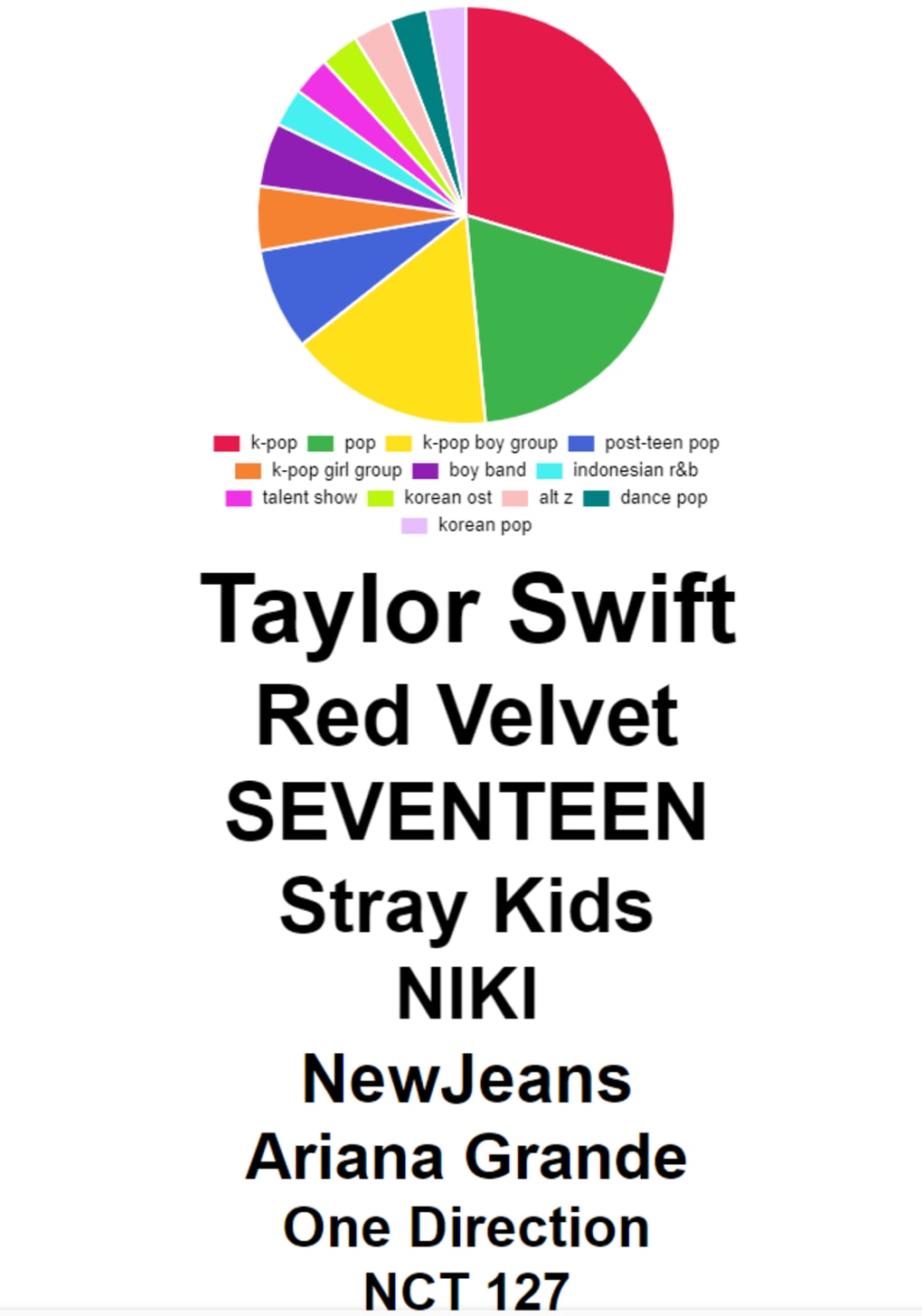
Spotify Pie is a free, web‑based multimedia tool that transforms your personal Spotify listening data into an intuitive pie‑chart visualization. By connecting directly to your Spotify account (via a secure OAuth permission flow), the app gathers information about the genres you stream most, your top artists, and the relative weight each genre holds in your overall music consumption. The result is a colorful, interactive chart where each slice represents a genre, colored uniquely for instant recognition, while a legend underneath lists the associated top artists.
Hovering over a slice expands the artist list, giving you a quick snapshot of who dominates that part of your musical palate. Although the text can be a bit small on dense charts, the ability to hide unwanted genres by clicking their legend color makes the interface adaptable to any listening profile. Spotify Pie offers an instant, year‑round alternative to Spotify Wrapped, letting you explore trends, discover hidden listening patterns, and even share the visual on social media.
It’s a fun, lightweight solution for music lovers who want to see their habits in a clear, data‑driven format without installing heavy desktop software.
Key Features
- Real‑time genre breakdown: Generates a pie chart that reflects your current listening distribution across musical genres.
- Top‑artist overlay: Displays a concise list of the most‑played artists within each genre slice, accessible via hover.
- Interactive legend: Click any genre’s color in the legend to hide or reveal that slice, simplifying crowded charts.
- Responsive design: Optimized for desktop browsers, tablets, and mobile devices, ensuring a smooth experience on Windows, macOS, Android, and iOS.
- Secure OAuth connection: Uses Spotify’s official API authentication, so your credentials never touch third‑party servers.
- Export options: Download the chart as a PNG image for easy sharing on social platforms or inclusion in presentations.
- Free and ad‑light: Completely free to use with no hidden fees, and minimal advertising that does not interfere with chart interaction.
- Automatic updates: Refreshes your data with a single click, pulling the latest listening statistics without needing a yearly wait.
Installation, Usage & Compatibility
Spotify Pie is a cloud‑hosted web application, which means there is no traditional installation process—simply open your preferred browser, navigate to the official Spotify Pie site, and you’re ready to go. The steps are straightforward:
- Visit the website: Go to spotify-pie.com (or the official URL provided in the download link).
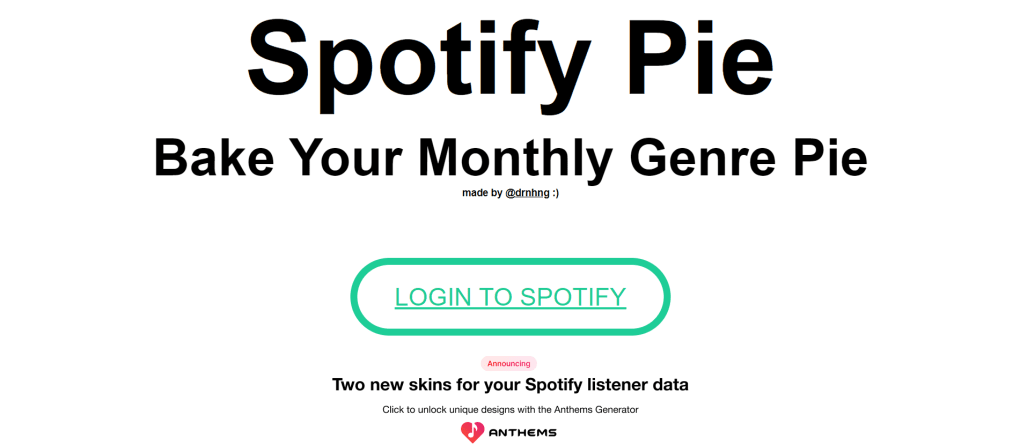
- Log in with Spotify: Click the “Connect with Spotify” button. You will be redirected to Spotify’s OAuth page where you grant read‑only access to your listening history.
- Authorize permissions: Accept the permission request. Spotify Pie only requests the
user‑top‑readscope, ensuring it can only read your top‑track and top‑artist data. - Generate your chart: After authorization, the app pulls your recent streaming data (typically the last 4‑6 months) and renders the pie chart within seconds.
- Interact with the chart: Hover over any slice to see the associated top artists, or click a legend color to hide that genre. Use the “Refresh” button to update the chart with the latest listening activity.
- Export or share: Click the “Download PNG” button to save the visual, or use the built‑in share icons to post directly to Twitter, Instagram, or Facebook.
Compatibility: Because Spotify Pie runs entirely in the browser, it works on any modern operating system that supports HTML5, CSS3, and JavaScript. This includes:
- Windows 10 and later (Edge, Chrome, Firefox)
- macOS 10.14 (Mojave) and later (Safari, Chrome, Firefox)
- Linux distributions with recent browsers
- iOS 13+ (Safari, Chrome) and Android 8+ (Chrome, Firefox)
The responsive layout automatically adjusts chart size and legend placement for smaller screens, though users on very small devices may find the text a bit tiny. In such cases, zooming in (pinch‑to‑zoom) or using the desktop mode on mobile browsers can improve readability.
Pros, Cons & Frequently Asked Questions
Pros
- Free, no subscription required.
- Instant visual insight into listening habits.
- Secure OAuth integration with Spotify.
- Responsive design works across devices.
- Exportable PNG for easy sharing.
- Interactive legend helps declutter dense charts.
Cons
- Text inside the legend can become very small with many genres.
- Relies on Spotify’s API limits; very heavy users may encounter rate‑limiting.
- No built‑in playlist generation based on chart data.
- Requires an active internet connection; offline use isn’t possible.
FAQ
Is Spotify Pie safe to use with my Spotify account?
Yes. Spotify Pie uses Spotify’s official OAuth flow, requesting only read‑only access to your top‑track and top‑artist data. Your password never leaves Spotify’s login page, and the app does not store any personal information beyond what is needed to generate the chart.
How often can I refresh my chart?
You can refresh as often as you like, though Spotify imposes a rate limit of one request per 30 seconds per user. The “Refresh” button simply re‑queries the API, so waiting a few seconds between updates is recommended.
Can I use Spotify Pie on a Mac without installing any software?
Absolutely. Since the tool runs entirely in a web browser, macOS users only need a modern browser such as Safari, Chrome, or Firefox. No additional downloads or installations are required.
What data does Spotify Pie collect, and can I delete it?
Spotify Pie only accesses your top‑artist and top‑track data for the purpose of generating the chart. No personal identifiers or playlists are stored permanently. If you revoke the app’s access in your Spotify account settings, all cached data is cleared automatically.
Is there a way to customize the colors of the pie slices?
Currently Spotify Pie uses a preset color palette that assigns distinct hues to each genre. While there isn’t a built‑in color picker, you can download the PNG and edit it in any image editor if you need custom branding.
Overall Verdict: Spotify Pie delivers a quick, visually appealing snapshot of your listening habits without any cost or complex setup. Its minor drawbacks—small legend text and reliance on an internet connection—are outweighed by the convenience of instant, interactive charts. Perfect for music enthusiasts who love data visualization.
Conclusion & Call to Action
If you’re curious about the genres that dominate your playlists or simply want a fresh way to showcase your musical taste, Spotify Pie is the tool to try. Its free, secure, and instantly accessible nature makes it an excellent companion to Spotify Wrapped, allowing you to explore trends month‑by‑month instead of waiting for the annual recap. Head over to the official site, connect your Spotify account, and watch your music universe unfold in a colorful pie chart. Share the result with friends, embed it in a blog post, or keep it as a personal reference—Spotify Pie turns raw streaming data into a shareable piece of art. Download Spotify Pie now and start visualizing your soundtrack today!



.png)



